
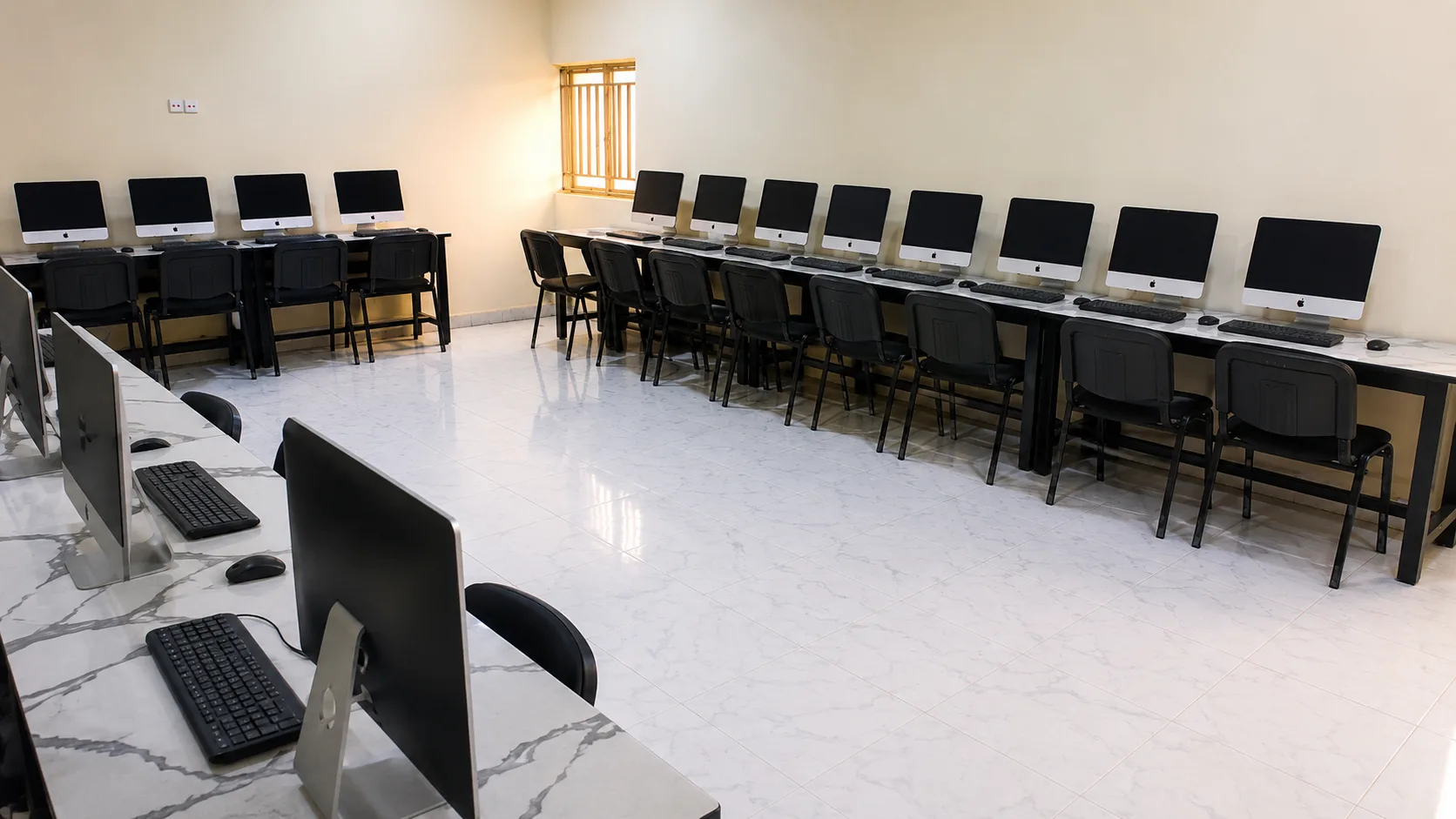
The computer laboratory is one of three spaces documented in the launch image set, alongside the main building exterior and the furnished lecture room. The photograph shows desktop workstations arranged around the room rather than in a single row, with space for a tutor to move between desks. This article explains how the room is intended to be used, what to check during a visit, and what to ask admissions before you choose a programme that depends on lab work.
Layout and what you can see
The room is arranged for supervised practice and shared teaching:
- Workstations around the perimeter and interior give sight lines to the tutor and to peers
- A desks-first plan rather than a fixed row of booths, so the space can shift between instruction, guided practice, and independent work
- Space to circulate — a tutor can reach each desk without moving furniture
The image is taken at a height that shows both the machines and the floor area. It records the lab as prepared, not as a catalogue render. As with the main building and lecture-room photographs, it carries a factual caption and is stored as a responsive image so detail remains legible on larger screens.
How teaching uses the lab
The lab exists to connect explanation with practice. That connection is clearest when the published programme guide states three things for each practical course — what you will study, how you will be assessed, and what you will do in the lab. Until a programme page lists those details, admissions provides the current brief.
Typical uses include:
- Guided sessions where a concept is taught and then practised on the workstations in the same hour
- Project blocks where students work on a defined task, present progress, and receive feedback
- Assessment-related practice linked to written work, presentations, or practical submissions described in the programme guide
Academic direction at Hector stresses that students should know the workload and assessment style before they apply. The lab is part of that answer: which courses meet there, how often, and what you are expected to produce.
What to check on a visit
If you plan to study a computing or data-heavy programme, use the visit to verify what the photograph implies:
- Power and connectivity — how workstations are powered, whether the network is available at each desk, and what happens if a machine is in maintenance
- Software and tools — which operating system, programming or analysis tools, and learning platform your programme will use, and whether you need a personal device as well
- Supervision — who supervises practical sessions, the typical group size, and how help is given when you are stuck
- Access outside timetabled hours — when the lab is open for assigned work and what booking or access rule applies
- Maintenance and replacement — how faults are reported and how the university keeps machines ready for teaching
Take a short note on each point. Compare the note with the written admissions reply when you return home.
Five questions to send before you apply
Copy these into your message to admission@hectoruniversity.com or +234 807 332 5728:
- Which courses in my programme use the computer laboratory, and what practical work is assessed?
- What software and minimum personal device, if any, should I prepare?
- How is programming or data work supervised, and what support exists for beginners?
- When can students access the lab outside taught hours?
- Are there additional course materials or data bundles tied to lab-based courses, and what do they cost?
Keep the reply. As with fees and entry requirements, the lab guidance should be tied to a programme name and entry session.
Programme links
Current programme briefs are available through admissions rather than through a static catalogue. The published programme pages on this site — Computer Science, Business Administration, and Economics — each explain what to confirm before applying and link back to the admissions desk for verified details.
This structure follows the discovery pattern seen at research universities: a faculty-level overview, then a programme-level detail that closes with a named next step. Hector keeps the same hierarchy at founding scale: academic direction on Academics, programme detail on the programme pages, and verification through admissions.
Editorial note on images
Where a Hector photograph exists, it is used. Where no photograph exists — for example, for a future library interior or workshop — this site will either show no image or label an editorial illustration with a visible Pexels credit rather than present it as Hector campus. The computer lab photograph on this page is Hector-owned.
For the wider campus record, see A first look at the campus in Awe and Inside the lecture room.