
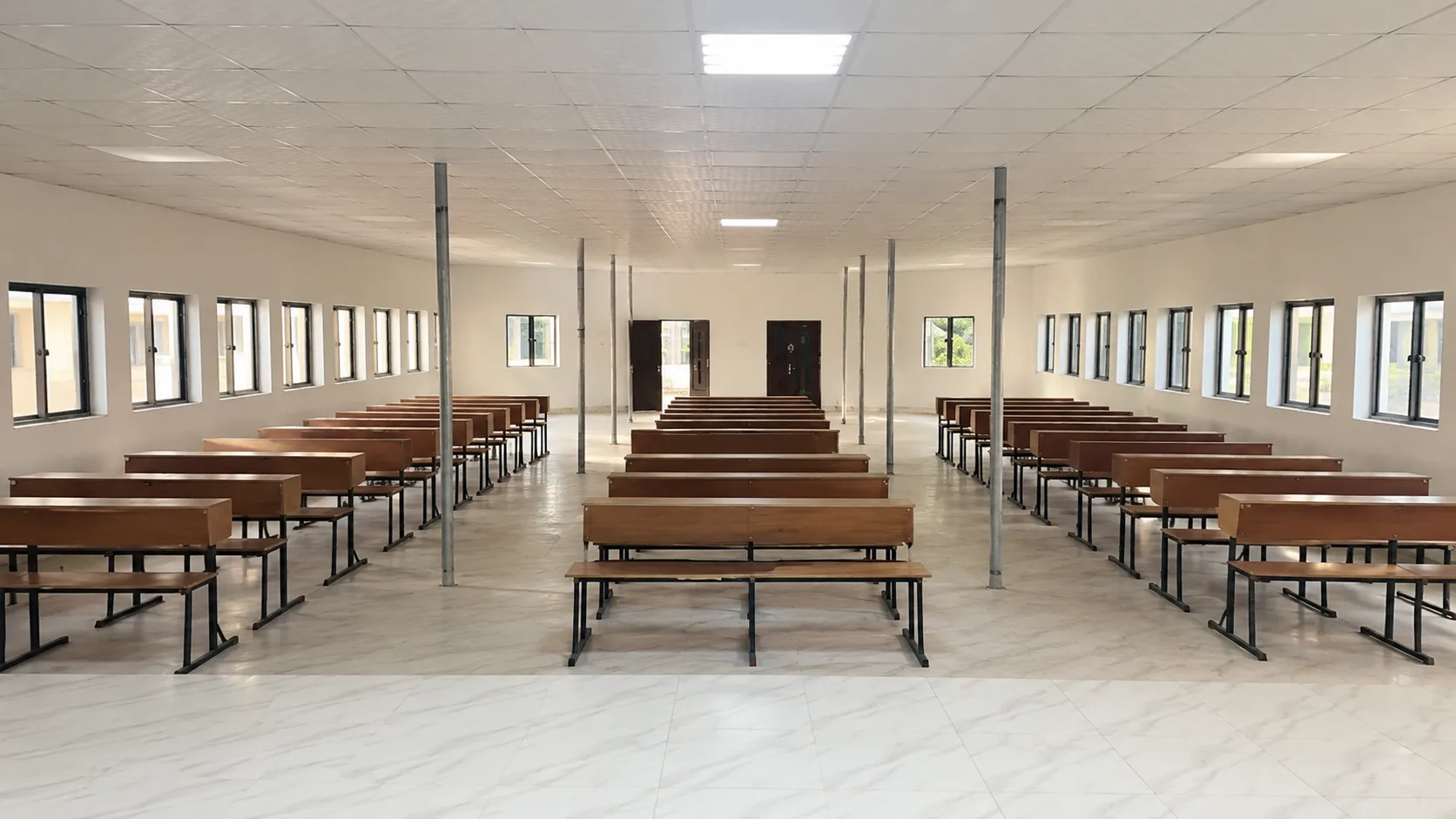
The lecture-room photograph is the quietest of the three launch images. No staging, no people, no banner. Rows of wooden desks face the teaching area with windows on both sides. The room is shown as prepared for teaching, and the article below explains how that preparation maps to lectures, seminars, and assessment — and what to ask before you decide.
The room as photographed
From the back of the room you can read:
- Desk spacing that allows movement between rows and forward sight lines
- Daylight on two sides — windows run along both walls, which affects reading comfort and ventilation
- A front teaching area proportioned for presentation, discussion, and board work
- A rectangular plan that suits both lecture-style delivery and smaller-group work when desks are used flexibly
The image is stored as a responsive asset and rendered in WebP/AVIF with fixed dimensions so it does not shift layout as it loads. That treatment, together with a factual caption, keeps campus evidence comparable across the site.
Teaching modes the room supports
A single rectangular room earns its keep when it supports several modes without reconfiguration:
- Lectures — explanation of concepts, followed by questions and short tasks. Suitable when one tutor needs to address the full group.
- Seminars and discussions — a topic is set in advance, students read or prepare, then discuss and present. The desk rows support quick reorganisation into smaller groups.
- Presentations and tutorials — students present work, receive structured feedback, and revise. Sight lines to the front matter most here, and the photograph confirms them.
- Supervised class activities — short assessed tasks completed in the room with the tutor present.
The published programme guide should state which mode dominates in each course and how it is assessed. Where a programme page on this site is still general, admissions provides the current guide for that programme. That hierarchy — overview on Academics, detail on the programme page, verification through admissions — mirrors how Nigerian and UK universities separate enduring academic direction from session-specific detail.
Accessibility, comfort, and practical checks
A good visit checks what a photograph cannot fully convey. During a lecture-room visit, consider:
- Movement and access — entry, aisle width, and how the room is reached from the main entrance
- Air and light — ventilation and daylight at the time you would normally be taught
- Sound — how a voice carries without amplification and whether discussion is audible from the back row
- Writing and display — board or screen visibility from different positions
- Furniture condition — desk surface, seating, and storage for bags and materials
These are simple checks, but they tell you quickly whether a room supports focused work. Note what you see and compare it with the written programme brief later.
What to ask for your programme
Before you apply, ask admissions to map the lecture room to your course plan:
- Which courses in my programme are taught primarily in the lecture room, and which use the computer laboratory?
- How is each course assessed — written work, presentation, practical task, or examination — and where does that assessment take place?
- What is the expected weekly contact time and independent study for the first semester?
- What happens when a session cannot hold — is there a published make-up arrangement?
Address the message to admission@hectoruniversity.com or +234 807 332 5728 and keep the written reply with the programme name and session clearly stated.
Programme detail pages
Each programme page lists what counts as a decision-ready answer: award and duration, entry subjects, main areas of study, practical or project elements, learning spaces, and the approved fee and application route. Start with the page that matches your interest and close the loop through admissions:
- B.Sc. Computer Science — Computing and Information Systems
- B.Sc. Business Administration — Business and Management
- B.Sc. Economics — Social and Management Sciences
If your programme area is not yet listed, email admissions with the subjects you offer. The team will send the current brief and explain the next step.
How this image fits the larger record
This photograph, the computer lab, and the main-building approach form the first campus evidence set. They are Hector-owned and captioned factually. Future spaces, when documented, will be added as dated Launch Journal entries with the same treatment. Editorial illustrations for topics without a Hector photograph are never presented as campus images and, when imported from Pexels, carry a visible credit. That distinction keeps the campus record useful for families who need to compare what they see with what they are told.
For related reading, see Inside the computer lab and A first look at the campus in Awe.